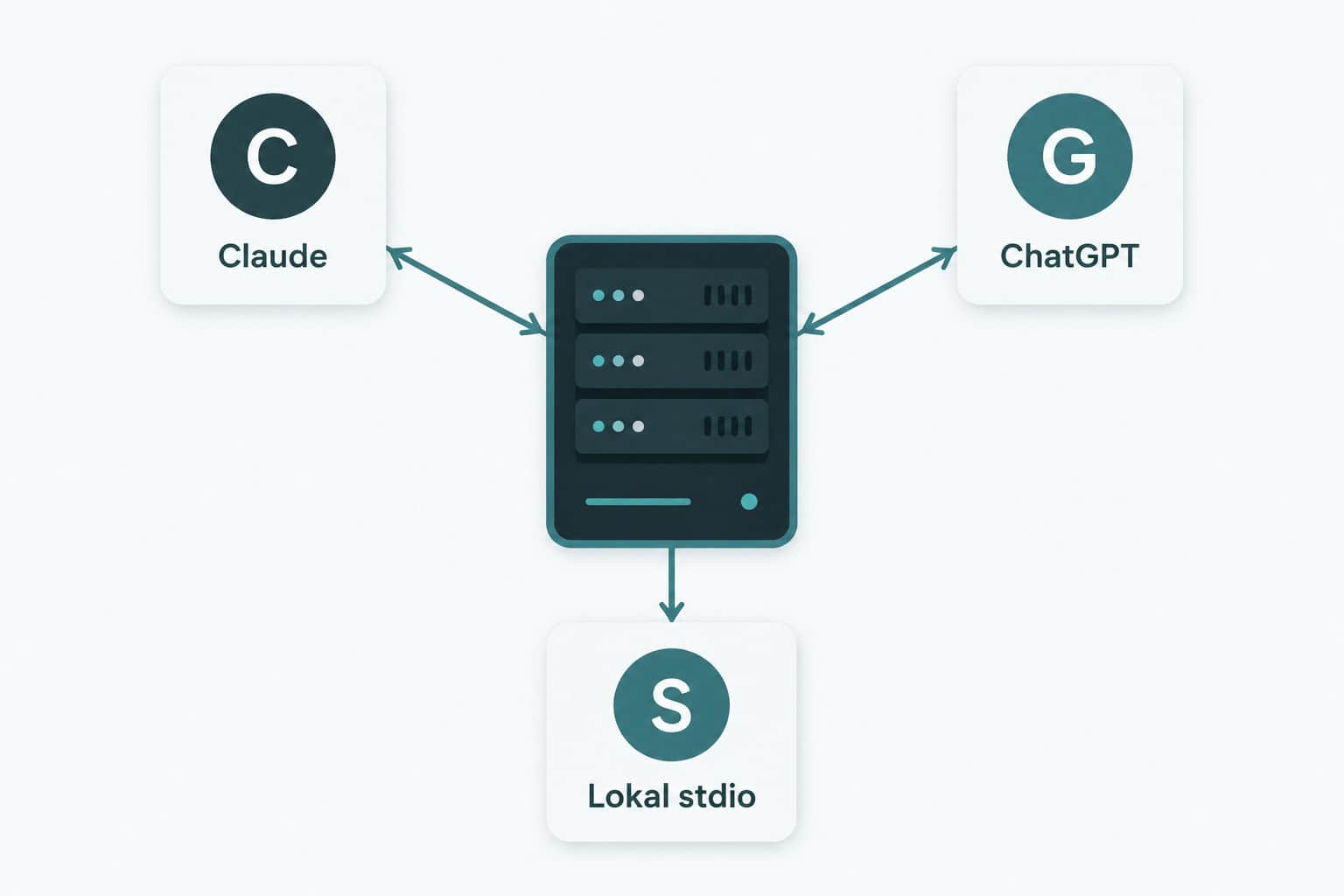
A custom mcp server is a programmable bridge that connects your data to AI models like ChatGPT and Claude — through an open protocol Anthropic published in 2024. Set up correctly, one custom mcp server gives your entire team a searchable, agentic interface to internal systems in 4–8 hours of dev time. This guide walks through how, based on a real case we built for a Norwegian non-profit.

At Nettsmed we recently built a custom mcp server that exposes Cornerstone — a member registry — as read-only tools for ChatGPT Workspace Agents. This article is the technically concrete recipe: Python code, Vercel deployment, and the gotchas we hit along the way.
What is a custom mcp server?

Model Context Protocol (MCP) is an open standard that lets AI models call external tools through a JSON-RPC interface. A custom mcp server exposes those tools — typically read or write operations against your own data systems — so ChatGPT, Claude, or other AI clients can use them.
Three transport types exist for an mcp server today:
- stdio — for local use from Claude Code, Claude Desktop, and similar. Easiest to start with.
- Streamable HTTP — for modern clients (Claude Apps SDK, OpenAI Agents SDK).
- SSE (Server-Sent Events) — required by ChatGPT Workspace Agents as of April 2026.
For an mcp server that needs to serve ChatGPT agents, you must support SSE. We recommend exposing both SSE and streamable HTTP from the same process so one codebase covers all clients.
Stack: what we used and why

- Python 3.13 + FastMCP — Anthropic’s official MCP SDK. Decorator-based tool registration, less boilerplate than building from scratch.
- FastAPI / Starlette — for HTTP/SSE endpoints (FastMCP returns a Starlette app out of the box).
- httpx — async HTTP client for the underlying API.
- Vercel — deployment. Auto-detects FastAPI, free preview deploys, EU region available.
- Pydantic — input validation on tool arguments.
The full custom mcp server setup took about 4 hours from blank repo to working endpoint, including testing against live data. It is not a complex project if you have prior experience with Python and REST APIs.
Step 1: Scaffold the project
Create a new Python project with FastMCP as the main dependency. The structure we use:
cornerstone-mcp/
├── api/
│   └── index.py              # Vercel serverless entry
├── src/
│   └── cornerstone_mcp/
│       ├── __init__.py
│       ├── config.py         # env vars
│       ├── client.py         # underlying API client
│       ├── server.py         # FastMCP + tools
│       └── http.py           # HTTP/SSE app
├── pyproject.toml
├── requirements.txt
└── vercel.jsonCode language: PHP (php)
Key dependencies in requirements.txt:
mcp>=1.2.0
fastapi>=0.110.0
uvicorn[standard]>=0.27.0
httpx>=0.27.0
python-dotenv>=1.0.0
pydantic>=2.6.0
Step 2: Define tools with FastMCP
FastMCP uses Python decorators to register tools. Each tool becomes a JSON-RPC method the AI can call. Here is how we define tools in our custom mcp server:
from mcp.server.fastmcp import FastMCP
from mcp.types import ToolAnnotations

mcp = FastMCP(
    "cornerstone-mcp",
    instructions="Read-only access to lokallag, members and Frifond data.",
    stateless_http=True,
    json_response=True,
)

RO = ToolAnnotations(
    readOnlyHint=True,
    destructiveHint=False,
    idempotentHint=True,
    openWorldHint=False,
)

@mcp.tool(annotations=RO)
async def search_groups(query: str) -> str:
    """Search groups by name. USE THIS WHEN you know a name and need an id."""
    results = await client.search_groups(query)
    return json.dumps(results, ensure_ascii=False)Code language: PHP (php)
Three details easy to overlook:
readOnlyHint=True— without it ChatGPT flags every tool as «WRITE / DESTRUCTIVE» in the UI and shows users warnings.- «USE THIS WHEN» pattern in docstring — the LLM picks the right tool based on the description. Be explicit about when each tool should be used.
stateless_http=True— required for serverless deploys (Vercel). Each request is self-contained.
Step 3: Slim payloads for LLM ergonomics
The most common mistake in a new custom mcp server is returning too much data. ChatGPT has a limited context window, and a tool response of 290 000 tokens drowns the answer. Our first list_groups returned 290 KB — the agent could not pick out specific groups.
The fix: return only the necessary field set, and create separate tools for heavy queries:
list_groups— slim records (id, name, leader), about 11 KB total.search_groups(query)— server-side filter, only matching rows.get_group(id)— full details for one group, about 2 KB.get_group_members(id, year)— explicit opt-in for heavy member rosters.
After slimming, ChatGPT answers «how many members does Echo have in 2024?» with one tool call instead of five. Keep tools small and focused — that rule applies to any custom mcp server.
Step 4: Expose both SSE and streamable HTTP
FastMCP gives you mcp.streamable_http_app() and mcp.sse_app() as separate Starlette apps. Both must be enabled in the same process to support ChatGPT (SSE) and Claude Apps SDK (streamable HTTP):
from starlette.applications import Starlette
from starlette.routing import Mount, Route
import contextlib

streamable = mcp.streamable_http_app()
sse = mcp.sse_app()

async def dispatch(scope, receive, send):
    path = scope.get("path", "")
    if path.startswith("/sse") or path.startswith("/messages"):
        await sse(scope, receive, send)
    else:
        await streamable(scope, receive, send)

@contextlib.asynccontextmanager
async def lifespan(_app):
    async with mcp.session_manager.run():
        yield

app = Starlette(
    routes=[Route("/healthz", lambda r: JSONResponse({"ok": 1})),
            Mount("/", app=dispatch)],
    lifespan=lifespan,
)Code language: JavaScript (javascript)
Remember the lifespan context — without it you get RuntimeError: Task group is not initialized on the first tool call. FastMCP’s streamable handler requires an active async context.
Step 5: Fix DNS rebinding protection
FastMCP enables DNS rebinding protection by default. That means a custom mcp server rejects requests with a Host header not in its allowlist. Result: 421 Misdirected Request in production if you forget it.
from mcp.server.transport_security import TransportSecuritySettings

security = TransportSecuritySettings(
    enable_dns_rebinding_protection=True,
    allowed_hosts=[
        "localhost",
        "127.0.0.1",
        "your-mcp.vercel.app",
    ],
)

mcp = FastMCP(..., transport_security=security)Code language: JavaScript (javascript)
Step 6: Deploy to Vercel
Vercel auto-detects FastAPI/Starlette via the app variable. Create api/index.py that re-exports the Starlette app:
# api/index.py
import sys
from pathlib import Path

sys.path.insert(0, str(Path(__file__).parent.parent / "src"))

from cornerstone_mcp.http import app  # noqaCode language: PHP (php)
And a minimal vercel.json:
{
  "rewrites": [
    { "source": "/(.*)", "destination": "/api/index" }
  ]
}Code language: JSON / JSON with Comments (json)
Set env vars with vercel env add. Use printf, not echo — the latter appends a newline that breaks HTTP headers later. After vercel --prod you have a custom mcp server live.
Step 7: Auth — the hardest part
ChatGPT custom MCP connectors support only OAuth or no-auth. A static bearer token in a header — the intuitive solution — does not work. Three realistic options for a customer-facing custom mcp server:
- OAuth with dynamic client registration — the correct solution. ChatGPT fetches
.well-known/oauth-authorization-server, registers as a client, and gets a token. 1–2 days of dev work the first time. - OAuth via proxy (Cloudflare Access, Auth0, Stytch) — outsource the complexity.
- No-auth with URL obscurity + PII filter — read-only data, hard-to-guess URL, external calls are logged. Acceptable for testing, not for long-term production.
For Claude Apps SDK and Apps SDK-based clients, a bearer token in a header works fine. For ChatGPT you must go down the OAuth path or use a proxy.
Step 8: Test against a real AI client
Smoke-test first with curl:
curl -sS -X POST https://your-mcp.vercel.app/mcp
  -H 'Content-Type: application/json'
  -H 'Accept: application/json, text/event-stream'
  -d '{"jsonrpc":"2.0","id":1,"method":"tools/list","params":{}}'
  | jq '.result.tools[].name'Code language: JavaScript (javascript)
Then connect ChatGPT Workspace Agent, Claude Desktop, or your own agent and run 5–10 real questions against your custom mcp server. Goal: how many tool calls per answer? More than 3 means tool design or server instructions need to be tightened.
Common pitfalls with a custom mcp server
- Payloads too large. Returning 50 KB+ per tool? Slim down or split into multiple tools.
- Forgot
readOnlyHint. Tools are flagged as DESTRUCTIVE in ChatGPT without it. Users see warnings. - Forgot host allowlist. Vercel deploy returns 421 if Host header is not whitelisted.
- Cross-invocation cache. In-memory cache disappears between Vercel invocations. Use Vercel KV if you need persistence.
- Static bearer for ChatGPT. Does not work. You need OAuth or no-auth.
Cornerstone-MCP: our actual case

We built this for Tverrkirkelig (a Norwegian non-profit). The server exposes 14 read-only tools against Cornerstone’s GraphQL: group search, member counts per year, Frifond payouts, and a formula-based calculator that estimates the next national funding allocation.
- Repo: modelcontextprotocol.io/specification (open source)
- Live:
cornerstone-mcp.vercel.app/mcp - Tools: 14 read-only, all annotated with
readOnlyHint=True - Total code: ~600 lines of Python, including tests
It is now used as the data layer for a ChatGPT Workspace Agent that answers staff questions about member counts, funding history, and application reviews. Time savings: 30–90 seconds per question, 20–40 questions a week — typical for a custom mcp server with focused scope.
FAQ about custom mcp server
What is the Model Context Protocol?
MCP is an open standard published by Anthropic in November 2024 for how AI models talk to external data and tools. It uses JSON-RPC over stdio, HTTP, or SSE. ChatGPT, Claude, and other AIs support MCP clients, so the same custom mcp server can be used by multiple AI ecosystems in parallel.
Do I need a custom mcp server or is Zapier enough?
Zapier MCP works for standard systems (Gmail, Slack, HubSpot) and simple workflows. A custom mcp server is needed when you have specific data transformations, internal data without a Zapier connector, or want full control over auth and logic.
How long does it take to build a custom mcp server?
With Python experience: 4–8 hours for a read-only MVP with 5–8 tools. Add 1–2 days for OAuth implementation. Most time goes into designing good tools and slimming payloads, not into boilerplate.
Can I deploy a custom mcp server on Vercel for free?
Yes, Vercel Hobby tier is fine for testing and low-traffic production. For long-lived SSE connections, Fly.io or a dedicated Hetzner VPS can be more optimal, but for a stateless custom mcp server with short tool calls, Vercel works well.
Does ChatGPT Workspace Agents support every custom mcp server?
As of April 2026: yes, but only via SSE transport and only with OAuth or no-auth (no static bearer tokens in the UI). Pricing moves from free to credit-based on May 6, 2026, so test now while it is free.
Ready to build a custom mcp server?
If you have an internal data system your team uses daily and you wonder whether a custom mcp server will solve the problem, get in touch for a free discovery call. We map 3–5 high-value use cases, give a fixed quote, and ship in 4–6 weeks. Contact us or read more about custom AI integration in general.
Need deeper background first? Building an AI agent covers build vs buy, and AI agent case Nora shows a complete Norwegian example. For the official MCP spec, see modelcontextprotocol.io.