Infinite FAQ: AI answers the next question, right inside your FAQ
An infinite FAQ lets visitors ask the next question right inside your FAQ, and AI answers as a new row. How we built one without a chatbot or schema risk.
 Sindre Fjellestad · updated · 8 min read
In this article (8)
An infinite FAQ is a regular FAQ with one extra row at the bottom: a field where visitors can type the question you didn't think to answer. A small AI model replies using only the content of that page, and the reply shows up as a new row in the same list, clearly labelled as an AI answer. Your written FAQ, and the FAQ schema built from it, stay exactly as they are.
We run this on nettsmed.no. This article explains how it works under the hood, what you need to build one yourself, and where we drew the lines.
Where the idea comes from
In September 2026 a short clip by Gustavo (@heyimgustavo) captioned «infinite faq» went viral on X. It showed a plain FAQ whose last row let you ask anything else. It's a simple idea that fixes a real problem. A visitor reads «How long does delivery take?» and immediately wonders whether that includes weekends, or international orders. A static FAQ has no answer for that, so they either email you or leave.
The demo shows the concept. It doesn't show what you have to think about when you put it on a real business website: search engines, answers people take literally, and an API bill. That's the part we cover here.
How it works, step by step
From the visitor's point of view there are three steps: read the FAQ, type a question in the last row, get an answer as a new row. Behind the scenes it looks like this:
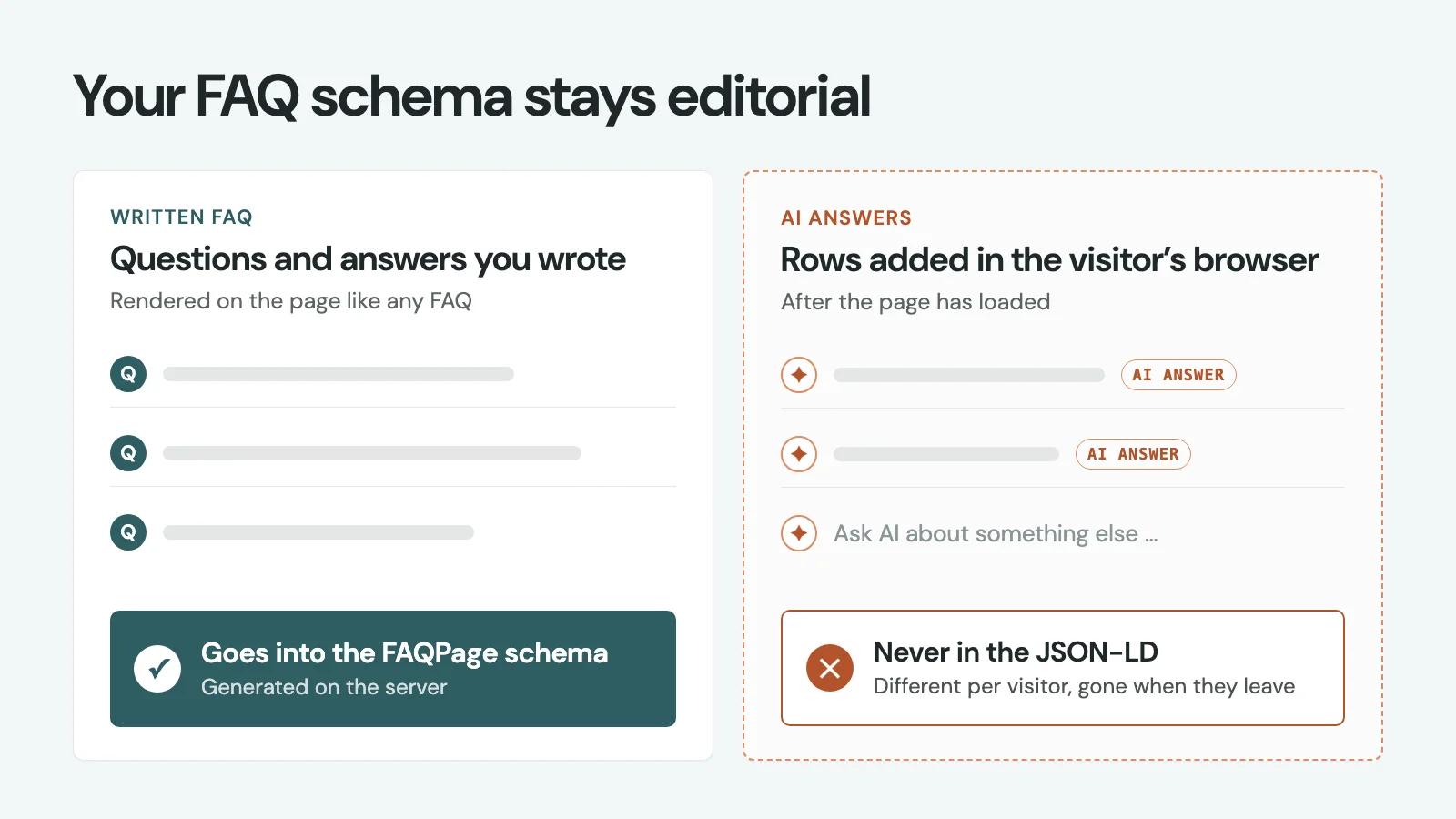
- The FAQ is a normal FAQ. You write the questions and answers yourself. They render on the page like any FAQ, and the FAQPage schema is generated from them on the server.
- The ask field sits below the last question. When someone types a question, the browser sends it to an API endpoint together with an ID for the page they're on. It doesn't send the whole page.
- The server fetches the page text itself. It looks up the page by its ID and pulls the published content. This means a visitor can't feed the model fake «page content».
- A small, fast model writes the answer. We use Claude Haiku from Anthropic. OpenAI models work too. The prompt tells the model to answer briefly and only from the page text, and to say so when the page doesn't cover the question.
- The answer streams back into the list. It appears as a new row with an «AI answer» tag and a short note saying it was generated from the page and hasn't been reviewed by us. A new empty ask field appears underneath, so the visitor can keep going.
In our own testing, the first words show up after about 3–5 seconds, and the full answer a few seconds later.
Why the AI answers stay out of your FAQ schema
Only the questions and answers you wrote go into the FAQPage schema. The AI rows are added in the visitor's browser after the page has loaded, so they never end up in the JSON-LD.
There are two reasons for this. First, structured data should describe content you actually stand behind, and an AI answer nobody has reviewed doesn't qualify. Second, every visitor's AI rows are different and disappear when they leave the page, so they aren't part of the page in any meaningful sense.
Worth knowing: Google stopped showing FAQ rich results in May 2026. FAQPage schema won't get you the expandable questions in search results anymore. The visible FAQ is still useful, though. Clear questions with short, self-contained answers are easy for both people and AI search tools to quote.
The guardrails we use
An open text field connected to an AI model needs some limits. These are the ones we use:
- Answers come from the current page only. It doesn't search the whole site or the web, and it doesn't make up sources. If the page doesn't have the answer, it says so and suggests getting in touch.
- Every AI answer is labelled. It has its own icon, an «AI answer» tag and a note that we haven't reviewed it. Readers should always be able to tell what a human wrote.
- Rate limits. Each visitor can only ask a certain number of questions in a given period, and questions have a maximum length.
- A spend cap. There’s a hard ceiling on how much the API can cost, so a bot or a curious crowd can't run up the bill.
- No promises. The prompt tells the model not to promise prices, deadlines or terms that aren't on the page. Questions like that go to a person.
What you need to set one up
The technical part is fairly small. What makes the difference is the content.
- A good FAQ and a page with real substance. The model can only answer from what's on the page. Thin pages give thin answers. The best place to start is the pages where people already have lots of questions, like pricing, product or service pages.
- An API key from Anthropic or OpenAI. You pay the provider per question. A small model keeps the cost per answer very low, and the spend cap keeps the total predictable.
- On WordPress: we run it as a plugin that hooks into the Rank Math FAQ block. You keep writing your FAQ in Rank Math as before. The plugin adds the ask field below the block and handles the call to the model on the server. Rank Math keeps generating the schema from your written questions.
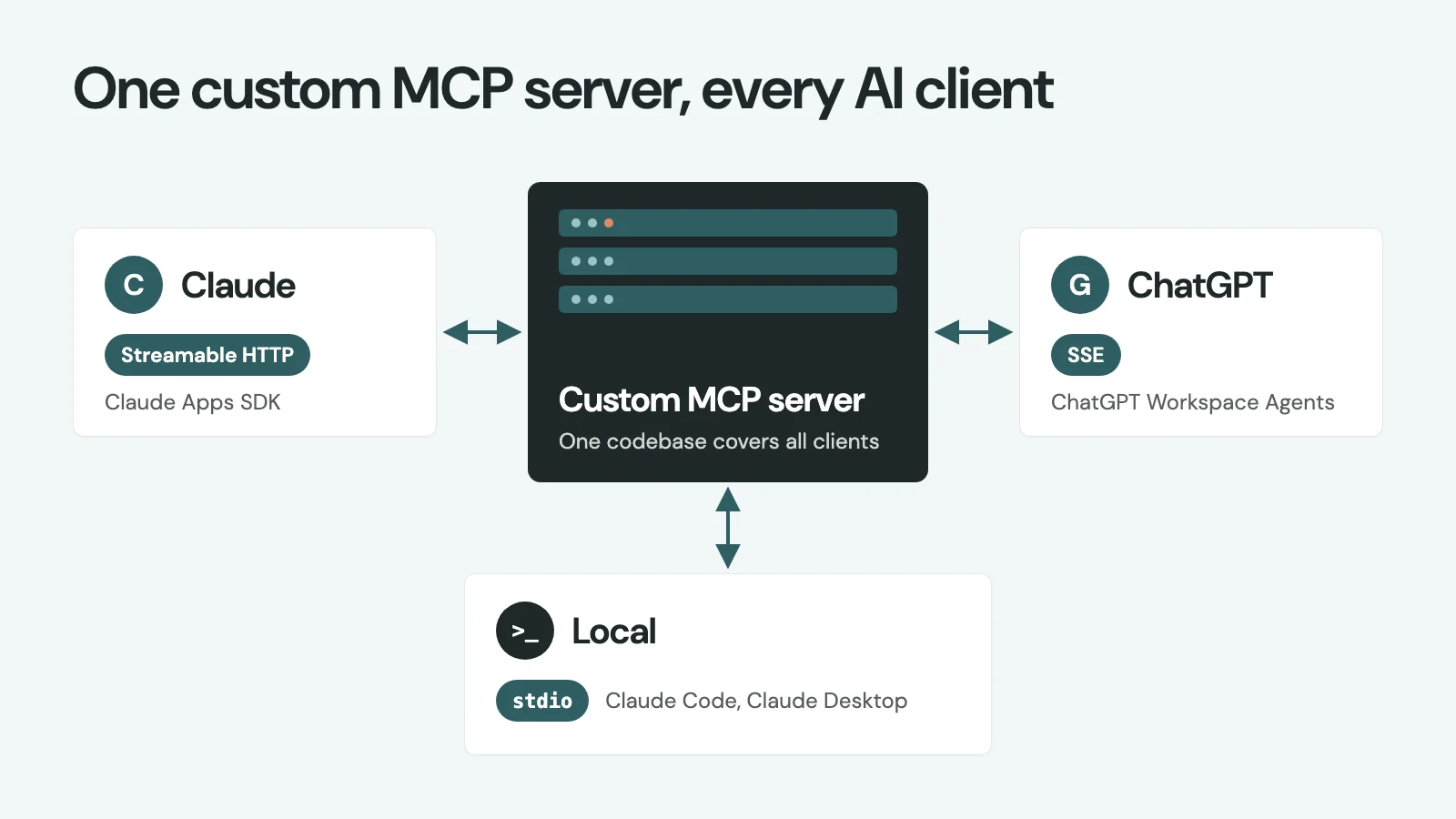
- On other stacks (Next.js, a headless CMS, a custom site): you need a small front-end component that renders the ask field and the AI rows, and a server endpoint that fetches the page text, calls the model and streams the answer back. That's how it works on nettsmed.no, which runs on Next.js.
If you want to build it yourself, the steps above are the whole recipe. The parts that take the most care are the prompt, the rate limits and the spend cap.
Infinite FAQ or chatbot?
They solve different problems.
| Infinite FAQ | AI chatbot | |
|---|---|---|
| Where it lives | Inside the FAQ on a specific page | A chat window across the whole site |
| What it answers from | The current page | The whole site, often other sources too |
| Best for | The follow-up question to an FAQ | Longer conversations and support |
| Setup | Small: ask field, endpoint, API key | Larger: indexing, search, chat history |
If visitors usually almost find their answer on the page, an infinite FAQ is enough. If they need help across many pages, a full AI chatbot for your website (in Norwegian) is a better fit. If you use Rank Math, our guide on styling the Rank Math FAQ block with CSS shows how to make the FAQ itself look good.
Frequently asked questions
The ask field sits right below these questions. Try a follow-up in English and see the answer appear as a new row.
What is an infinite FAQ?
A regular FAQ with a question field as the last row. Visitors type the question the FAQ didn’t cover, and an AI model answers it as a new row in the same list, using only the content of that page.
Do the AI answers end up in my FAQ schema?
No. The FAQPage schema is generated on the server from the questions you wrote. AI answers are added in the visitor’s browser afterwards, so they never enter the JSON-LD.
Where do the answers come from?
From the page the visitor is on. The server fetches the page text and gives it to the model with instructions to answer only from that text. If the page doesn’t cover the question, the answer says so.
Which AI model does it use?
We use Claude Haiku from Anthropic, a small and fast model. OpenAI models work as well. You use your own API key and pay the provider per question.
Does it work on WordPress?
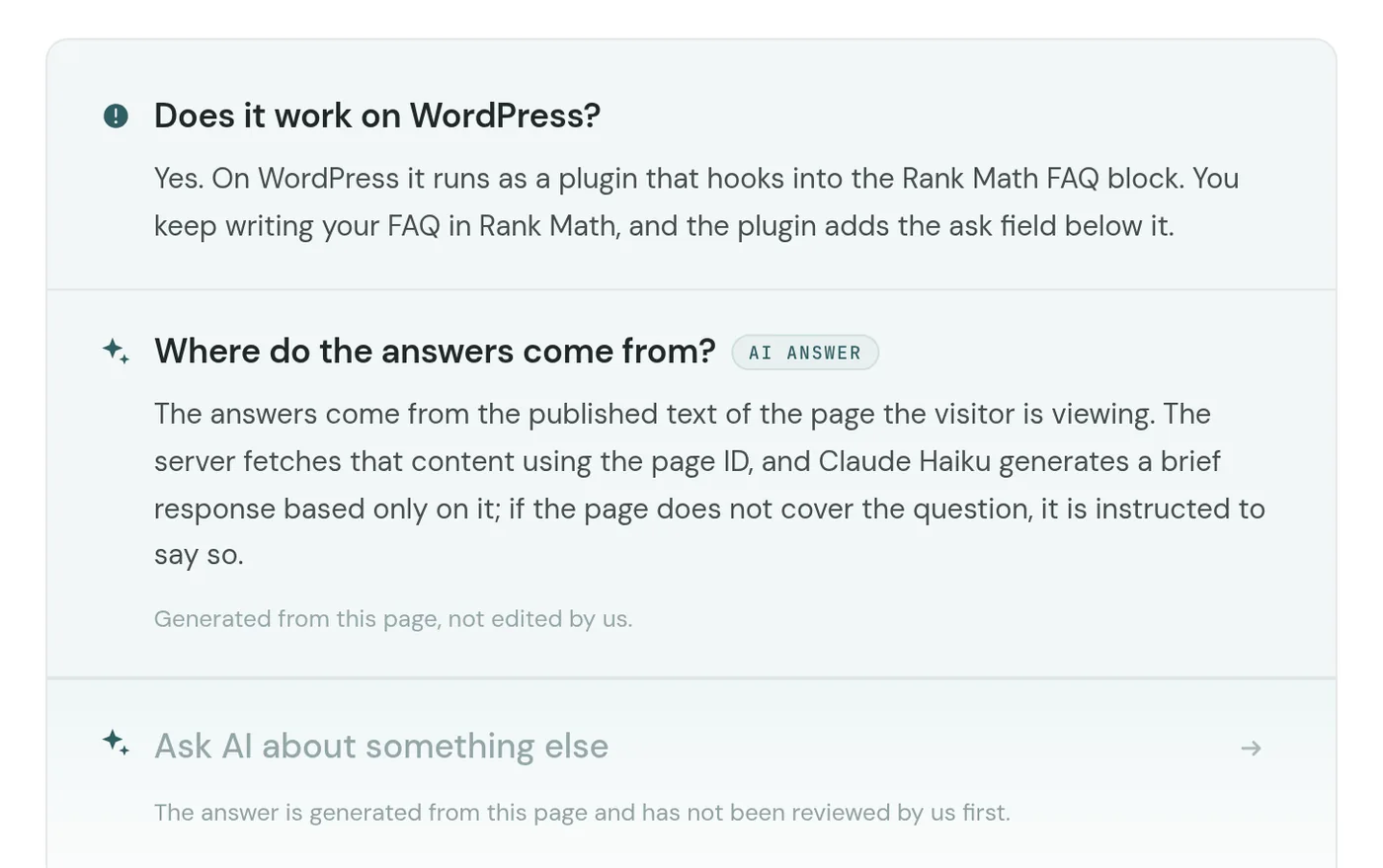
Yes. On WordPress it runs as a plugin that hooks into the Rank Math FAQ block. You keep writing your FAQ in Rank Math, and the plugin adds the ask field below it.
How do you stop it from costing too much?
Each visitor can only ask a limited number of questions, questions have a maximum length, and there’s a hard spend cap on the API. A small model also keeps the cost per answer low.
Can it promise prices or delivery times?
No. It’s told not to promise prices, deadlines or terms that aren’t on the page. Questions like that should go to a person.
The answer is generated from this page and has not been reviewed by us first.
Want us to set it up for you?
Everything you need to build an infinite FAQ yourself is in this article. If you'd rather not, Nettsmed can be hired to set it up on your WordPress site or another stack. We'll help pick the right pages, write a solid FAQ for the model to work from, and set sensible limits.
Get in touch and tell us a bit about your site.
Shall we have a no-obligation chat?
Tell us where your business is heading, and we will show you how the website can take you there. You get honest advice whether or not you become a client.